
Create Credentials
Note: Your authorization credential is just as important as your Mammotion account; it represents your personal identity and should not be disclosed.
How to create credentials
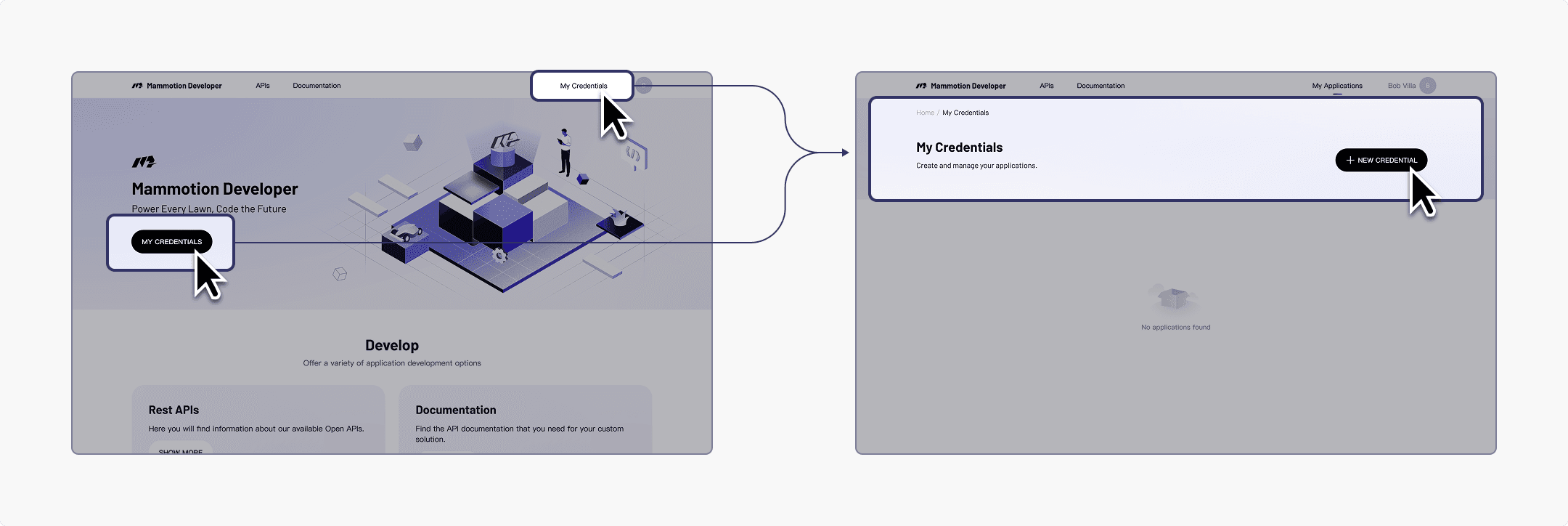
- Sign in to the developer platform with your Mammotion account, click “Create Credentials”, enter the required information, and confirm to generate your personal authorization credential. You can only view your authorization credential when you create it for the first time; you need to save it.
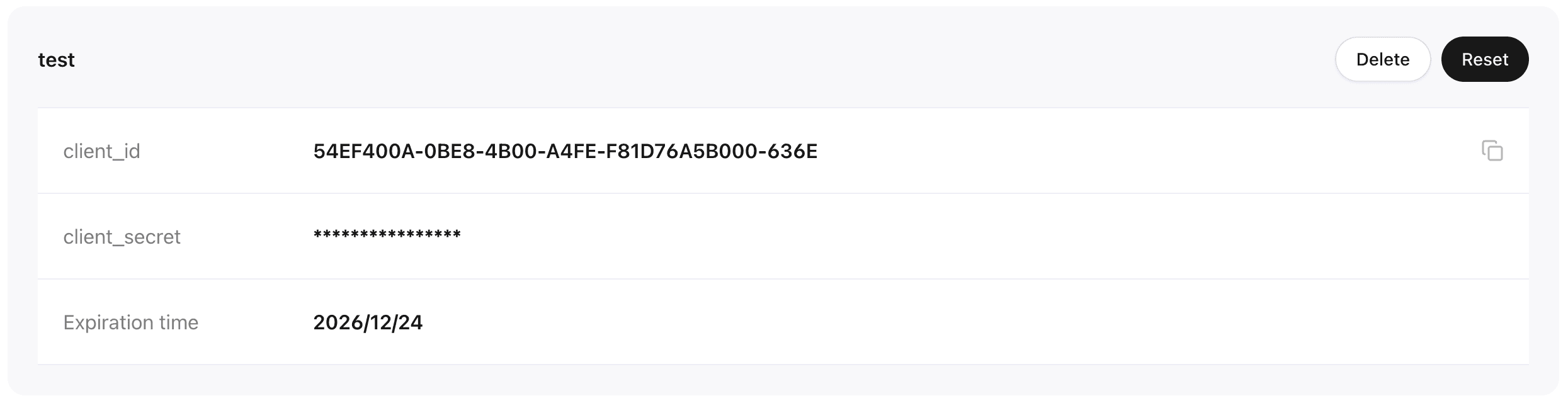
- If your license is about to expire or poses a security risk, you can reset it. Resetting will overwrite the previous license and it cannot be recovered. Please proceed with caution.
Last updated on
